Your Mac camera, live
Stream your built-in or connected camera straight into an iOS Simulator app with a single switch.
Simera brings your Mac camera to iOS Simulator apps, so you can build and test camera experiences without reaching for a physical device.
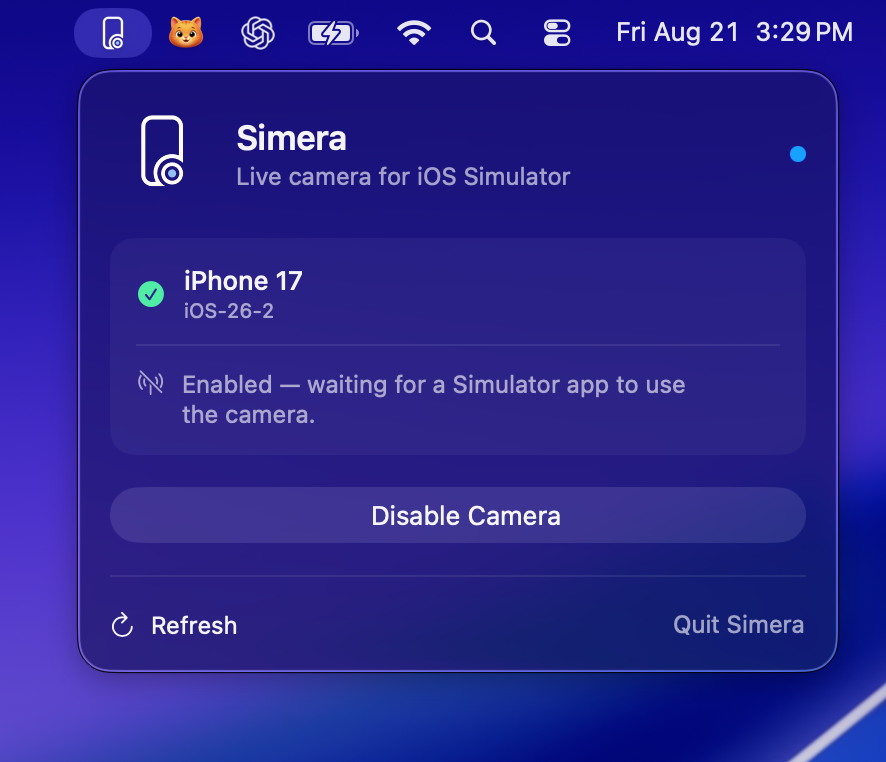
Watch the live Mac camera feed appear in native iOS and Flutter Simulator apps.
One small utility. A much faster camera workflow.
Camera testing should feel like part of development, not a reason to break away from it.
Stream your built-in or connected camera straight into an iOS Simulator app with a single switch.
Exercise photo and video experiences in the Simulator instead of rebuilding your workflow around sample files.
Simera works at the Simulator camera boundary, so your production camera code stays production-ready.
Simera lives quietly in your menu bar and connects to the Simulator you are already using.
Open the iOS Simulator and run your app as usual.
Select your target and switch the camera on.
Your app receives the live feed, ready to preview and capture.
Simera supports common native and Flutter camera paths, with no Simera SDK to add to your project.
Native camera previews and capture sessions
✓System photo and video capture flows
✓Common camera and image picker integrations
✓Compatibility can vary for custom camera stacks. Have a specific setup? Ask us.
Try everything for seven days. Keep Simera for one straightforward payment.
One-time purchase
Get lifetime license Download first, then activate with the key from your purchase email.No. Simera works with supported camera APIs inside the iOS Simulator. There is no package or SDK to add to your project.
Yes. Simera is designed to support common Flutter camera and image-picker flows that use the native iOS camera APIs underneath.
No. The live camera feed is processed locally between your Mac and the Simulator.
A license covers one active Mac. Contact support if you need help moving it to a replacement computer.